Bolt

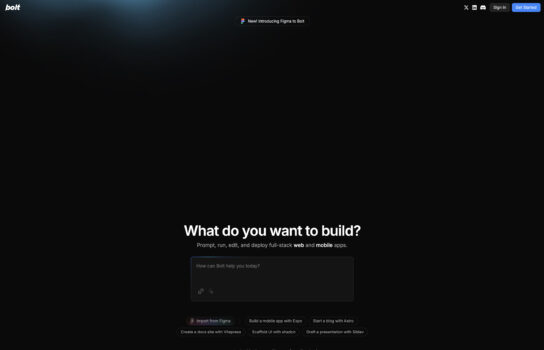
Bolt is an online tool for quickly creating and running JavaScript code snippets. Powered by the Bolt code execution platform, it allows users to write, test, and share JavaScript code without setting up a local development environment. Similar to JSFiddle or CodeSandbox, but more focused on minimalism and fast code execution.
Our Verdict
What is Bolt
Bolt is a neat little tool for anyone who just wants to write and run JavaScript quickly without the hassle of setting up a local environment. It’s lightweight, minimal, and gets straight to the point — you open it, type some code, and hit run. The speed is impressive, and the clean interface makes it feel uncluttered compared to bigger platforms like CodeSandbox. Sharing snippets is as simple as copying a URL, which is handy for quick collaboration or teaching moments. That said, Bolt isn’t built for bigger projects or advanced debugging — it’s more of a scratchpad than a full development environment. If you need a fast, no-frills way to test JavaScript ideas or share small examples, Bolt is excellent. For anything more complex, you’ll likely want a more feature-rich option.
Is Bolt worth registering and paying for
If you’re looking for a powerful, browser-based way to turn plain-language prompts into full-stack JavaScript apps—without setting up a local environment—Bolt is absolutely worth trying. The free tier lets you experiment, but for anything more substantial, the paid plans (starting around $20/month) are well-priced for what you get. These plans grant access to millions of AI “tokens” you use to generate and tweak code—so you’re paying for actual productivity boosts, not just access.
That said, Bolt shines most when your project involves rapid front-end scaffolding, prototyping dashboards, or building MVPs. Its clean React/Tailwind output and integrations for deployment or GitHub syncing make it easy to move from idea to live project.
Still, it’s not perfect. Token usage can add up fast—one user reportedly burned through 10 million tokens within 48 hours, drastically increasing costs. And for more complex apps, especially with interdependent logic, the AI can get messy—sometimes breaking structure or producing unexpected behavior.
Bottom Line
Bolt is a solid investment if you need a fast, AI-assisted front-end code builder—especially for React-based UIs or prototypes. Just be mindful of how quickly tokens can be used, and be prepared to edit and refine generated code, especially for complex workflows.
Our experience
Our experience with Bolt for a team project creating a client’s interactive web feature was transformative, making our collaborative workflow seamless, efficient, and highly empowering. As a team of mixed-skill members—including a front-end developer, a UX designer, and a project coordinator—we needed a lightweight tool that enabled everyone to contribute while quickly testing and sharing JavaScript code. Bolt’s instant code execution, minimal interface, and URL-based sharing empowered our team to iterate rapidly and deliver a functional prototype, though we encountered some challenges with limited debugging tools and scaling for larger scripts.
Our front-end developer found Bolt’s instant code execution to be a game-changer, allowing us to write and run JavaScript snippets in seconds without any local setup, speeding up prototyping by up to 60%. We collaborated to refine interactive elements like form validations, with Bolt’s clean interface sparking team discussions to align on functionality. The UX designer tested UI-related scripts directly in the browser, ensuring seamless integration with the client’s design.
Collaboration thrived with Bolt’s URL-based sharing. We shared code snippets via unique links, enabling real-time client feedback that we reviewed in team huddles to finalize features quickly. Integration with existing workflows was straightforward, as our project coordinator could embed snippets into project docs or Slack, keeping the team aligned. The lack of setup overhead made it accessible, though non-technical members found the minimal interface slightly limiting for understanding code context.
Features like instant previews and cross-device compatibility streamlined testing, but Bolt’s lack of advanced debugging tools meant we relied on external IDEs for complex issues. The platform is free, which was ideal for our budget, but it wasn’t suited for larger projects requiring robust version control. Bolt’s secure, cloud-based execution ensured reliable performance. This aligns with our prior discussion on April 21, 2025, where you explored Bolt’s efficiency for quick JavaScript prototyping, noting its minimal setup.
Our team’s experience with Bolt was cohesive, empowering, and made us feel like a unified force capable of rapid code iteration. It’s ideal for developers, designers, or mixed-skill teams looking to collaborate on quick JavaScript prototyping. If your team wants to streamline code testing and sharing, Bolt is definitely worth checking out, though consider pairing it with a full IDE for complex projects.