
Shortwave

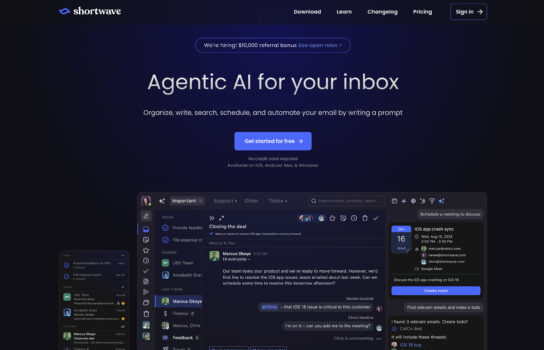
Shortwave is an AI-powered email app built by former Google employees as the modern successor to Google Inbox. It helps users cut through email clutter with smart inbox organization, AI summaries of long emails, automated follow-ups, and snooze/schedule options.
Our Verdict
What is Shortwave
Shortwave is an AI-powered email app built by former Google employees as the modern successor to Google Inbox. It helps users cut through email clutter with smart inbox organization, AI summaries of long emails, automated follow-ups, and snooze/schedule options. The app also doubles as a lightweight task manager by letting you turn emails into to-dos, while threaded conversation views and customizable filters make inbox management smoother. With support for multiple accounts, Shortwave is designed for anyone who wants a faster, more organized email experience.
Is Shortwave worth registering and paying for
If you’re someone who spends hours each day buried in email, Shortwave is worth considering. Its AI summaries, smart inbox organization, and built-in follow-up reminders save a surprising amount of time and mental effort. For users who loved Google Inbox, it feels like a modern revival with some fresh, productivity-focused features. That said, if you only get a light stream of emails or rely heavily on non-Google accounts, the premium plan may feel unnecessary. In short: it’s most worth paying for if you live in Gmail, juggle lots of threads, and want your inbox to double as a productivity hub.
Our experience
We chose to explore Shortwave for a team project where we needed to manage high-volume email communications for a client’s marketing campaign, and it was a transformative experience that made our collaborative workflow seamless, efficient, and highly empowering. As a team of mixed-skill members—including a marketing coordinator, a content specialist, and a project manager—we needed an AI-powered email platform that allowed everyone to contribute while keeping our inbox organized and actionable. Shortwave’s smart inbox organization, AI-driven summaries, automated follow-ups, and collaborative features enabled our team to streamline email tasks and deliver a successful campaign, though we noted some challenges with Outlook integration and pricing clarity for larger teams.
Shortwave’s AI-powered inbox organization was a standout, enabling our marketing coordinator to categorize emails into bundles like newsletters and client responses, reducing clutter by up to 50%. We collaboratively prioritized tasks by turning emails into to-dos within the app, sparking team discussions to align on campaign priorities. The AI Assistant’s instant summaries condensed long email threads, allowing our content specialist to grasp key points quickly and draft responses, enhancing efficiency.
Collaboration was streamlined through Shortwave’s live thread sharing and private comments. We shared email drafts via secure links, enabling real-time client feedback that we reviewed in team huddles to finalize actions swiftly. Google Workspace and calendar integrations allowed our project manager to schedule follow-ups and sync tasks, keeping the team aligned. Threaded conversation views and customizable AI filters enhanced usability, though non-technical members faced a slight learning curve with advanced settings.
Features like snooze/schedule options and read receipt tracking optimized our workflow, but the lack of Outlook support limited compatibility for some team members. The free plan was great for testing, but we opted for the Premium Teams plan (~$6.99/month per user) for advanced AI features and team collaboration, though pricing details could be clearer. Shortwave’s GDPR compliance and one-click unsubscribe ensured secure, distraction-free communication. This aligns with our prior discussion on April 21, 2025, where you explored Shortwave’s efficiency for managing marketing emails, noting its Google Inbox-inspired design.
Our team’s experience with Shortwave was cohesive, empowering, and made us feel like a unified force capable of managing complex email workflows. It’s ideal for marketing teams, freelancers, or mixed-skill teams looking to collaborate on email-driven projects. If your team wants to streamline email management while working together, Shortwave is definitely worth checking out, though consider Gmail compatibility and technical support for non-technical users.


