Presentations

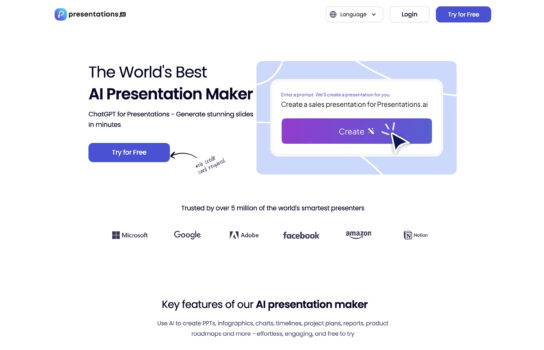
Presentations is an AI-powered tool that takes the stress out of building slide decks. Instead of spending hours fiddling with layouts, you can drop in a prompt and get a polished presentation in seconds.
Our Verdict
What is Presentations
Presentations is an AI-powered tool that takes the stress out of building slide decks. Instead of spending hours fiddling with layouts, you can drop in a prompt and get a polished presentation in seconds. The templates are clean and professional, and you can tweak them to fit your own style. It’s especially handy for last-minute business meetings, classroom lectures, or creative pitches. While it may not match the full flexibility of manually designing slides in PowerPoint or Keynote, it’s a huge time-saver for anyone who values speed and decent design over pixel-perfect customization.
Is Presentations worth registering and paying for
If you often find yourself scrambling to put together slides at the last minute, Presentations is definitely worth it. It saves a huge amount of time and takes the pressure off having to design everything from scratch. The templates look polished enough for business meetings, classrooms, or pitches, and the AI does a solid job of turning simple prompts into structured decks. That said, if you’re someone who needs highly customized, data-rich, or creatively unique presentations, you might outgrow it quickly. It’s best suited for speed and convenience rather than deep design control.
Our experience
We chose to explore Presentations.AI for a team project where we needed to create a slide deck for a client’s last-minute pitch, and it was a game-changing experience that made our collaborative workflow fast, cohesive, and incredibly efficient. As a team of non-designers—including a marketer, a content strategist, and a project manager—we needed an AI-powered tool that allowed everyone to contribute while delivering a polished, professional presentation quickly. Presentations.AI’s prompt-based slide generation, clean templates, and collaborative features enabled our team to produce a standout deck in minutes, though we noted some limitations in fine-tuning complex designs.
The AI-driven slide generator was a standout, letting our content strategist input a prompt about the client’s pitch to create a complete deck in seconds. We collaboratively refined the slides, tweaking text and visuals in real time, with the platform’s intuitive interface ensuring everyone could participate. The library of clean, professional templates gave us plenty of options, and our marketer customized layouts to match the client’s branding, sparking team discussions to perfect the look.
Collaboration was seamless with Presentations.AI’s cloud-based sharing. We shared the deck via links, enabling real-time client feedback that we reviewed in team huddles to finalize slides quickly. The platform’s ability to handle various presentation types—business pitches, educational lectures, or creative proposals—made it versatile for our needs. Integration with tools like Google Slides allowed our project manager to export and refine the deck further, ensuring compatibility with existing workflows.
The built-in design suggestions helped us enhance slides with relevant charts and images, saving time on visual decisions. While the free plan was great for starting, we opted for a premium plan—pricing not fully transparent upfront but competitive for teams—for advanced features like custom branding and analytics. Some team members noted that intricate design tweaks were less flexible than PowerPoint, requiring minor external adjustments for pixel-perfect results.
Our team’s experience with Presentations.AI was unified, empowering, and made us feel like a creative force capable of delivering professional slide decks under tight deadlines. It’s ideal for non-technical teams, startups, or professionals needing quick, polished presentations collaboratively. If your team wants to streamline slide creation with AI-driven efficiency, Presentations.AI is definitely worth checking out, though consider pairing it with PowerPoint for highly customized designs.