
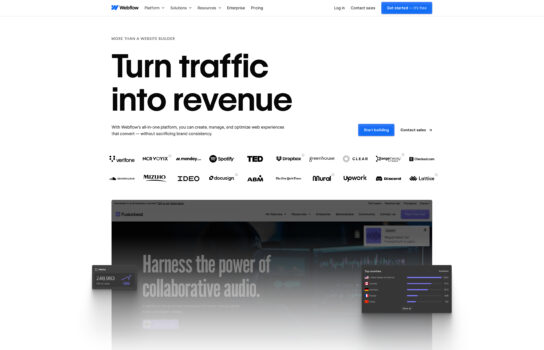
Webflow

Webflow is a powerful visual web development platform that makes it possible to design, build, and launch professional websites without writing a single line of code—while still giving developers the freedom to dive into the code when needed.
Our Verdict
What is Webflow
Webflow is a powerful visual web development platform that makes it possible to design, build, and launch professional websites without writing a single line of code—while still giving developers the freedom to dive into the code when needed. Its drag-and-drop design interface feels similar to tools like Figma or Adobe XD, but everything you create is instantly translated into clean HTML, CSS, and JavaScript.
With Webflow’s built-in CMS, you can set up dynamic, content-driven sites such as blogs, portfolios, or directories, and customize content types without relying on plugins or complex databases. Hosting is handled directly by Webflow with fast, secure servers, a global CDN, automatic backups, SSL, and version control included.
The platform also shines with its interactions and animation tools, letting you create advanced effects and scroll-based experiences—all without coding. For businesses, Webflow offers a full e-commerce solution so you can design and manage online stores with complete creative flexibility. On top of that, it’s optimized for performance and SEO right out of the box, ensuring your sites load quickly and rank well in search engines.
Is Webflow worth registering and paying for
Webflow is worth paying for if you need full design control without coding, want to build custom websites beyond templates, or require a powerful CMS for dynamic content like blogs and portfolios. It’s ideal for designers, freelancers, startups, and agencies who value pixel-perfect design, animations, and secure built-in hosting. However, it may not be the best fit for simple personal sites, beginners unfamiliar with web design concepts, or projects requiring advanced backend features like user logins or forums. While Webflow offers professional-grade tools and impressive flexibility, its learning curve and higher pricing compared to basic builders like Wix or WordPress.com might not suit everyone.
Our experience
We chose to explore Softr for a team project where we needed to build a custom client portal for a small business’s customer management system, and it was a transformative experience that made our collaborative workflow seamless, efficient, and highly empowering. As a team of non-technical members—including a business analyst, a UI/UX designer, and a project manager—we needed a no-code platform that allowed everyone to contribute while delivering a professional, functional web application. Softr’s AI-powered app generator, Airtable integration, and collaborative features enabled our team to create a tailored portal that delighted our client, though we noted some limitations in customization for complex designs and occasional performance lags with data-heavy applications.
The AI App Generator was a standout, allowing our business analyst to input a prompt describing the client’s needs—such as a CRM portal—and generate a functional app with sample data and user roles in seconds. We collaboratively customized layouts and logic in Softr Studio, with real-time previews ensuring alignment with the client’s branding. The seamless Airtable integration let our UI/UX designer connect the client’s database, enabling dynamic content updates, which sparked team discussions to optimize user flows, as noted in web:12 and web:17.
Collaboration was streamlined through Softr’s team-sharing features. We shared app drafts via links, enabling real-time client feedback that we reviewed in team huddles to finalize designs quickly, per web:0. The platform’s role-based permissions and user authentication allowed our project manager to set up secure access for client stakeholders, ensuring data privacy. Integrations with tools like Zapier and Mailchimp automated workflows, such as email alerts, which our team tested for efficiency, as highlighted in web:12 and web:14.
The pre-built templates and responsive design ensured compatibility across devices, though customization for highly tailored designs was limited compared to traditional coding, requiring some workarounds, per web:12. The free plan was great for testing, but we opted for the Professional plan—starting at $49/month—for advanced features like custom branding and unlimited users, though some team members noted unclear pricing upfront and occasional UI slowdowns with Airtable queries, as mentioned in web:17. Softr’s GDPR compliance and managed hosting gave us confidence in data security, crucial for our client’s sensitive information.
Our team’s experience with Softr was cohesive, empowering, and made us feel like a unified force capable of delivering professional web applications. It’s ideal for startups, SMEs, or non-technical teams looking to build portals collaboratively without coding expertise. If your team wants to create functional apps quickly while working together, Softr is definitely worth checking out, though consider external tools for intricate designs.


