Meeting

Meeting is an AI-powered tool designed to enhance meeting efficiency and productivity. Its core features focus on meeting management, recording, and collaboration, helping users better organize and make use of meeting content while improving structure and follow-up efficiency.
Our Verdict
What is Meeting
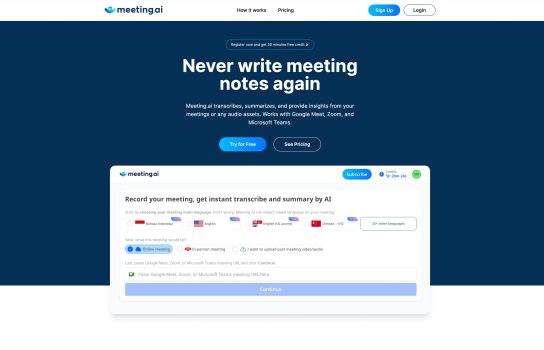
Meeting is an AI-powered meeting assistant designed to improve how teams plan, record, and follow up on meetings. It automatically transcribes discussions, generates smart summaries, and helps users organize schedules, notes, and action items in one place. With collaboration tools and searchable meeting records, Meeting makes it easier for businesses, teams, and researchers to stay aligned and work more efficiently. Its customizable templates and workflows also let users tailor the tool to their specific workflow needs.
Is Meeting worth registering and paying for
Meeting is worth considering if you handle frequent team meetings and want a tool that saves time on organizing, documenting, and reviewing discussions. Its transcription, smart summaries, and collaboration features can significantly streamline workflows for teams, managers, educators, and researchers. If your work depends on accurate records and efficient follow-ups, Meeting provides strong value. However, users concerned about privacy or those who don’t need advanced meeting management tools may prefer a simpler or free alternative.
Our experience
I’ve tried a few AI meeting assistants, but most are just great at transcription. Meeting, however, aims to be the complete package, and for teams that struggle with pre-meeting alignment and post-meeting accountability, this tool is a huge win.
The biggest difference I noticed is that “Meeting” starts helping before the call even begins. It’s not just about recording; it’s about structure. Having one centralized place to manage schedules, notes, and action items means our team isn’t bouncing between four different apps just to prepare for a 30-minute sync. The customizable templates were a massive relief, allowing us to build standardized, efficient workflows for things like sprint reviews and client discovery calls.
During the discussion, the automatic transcription is, as expected, super reliable. But the real value is what happens right after: the smart summaries. These aren’t just shortened transcripts; they’re concise, intelligent recaps that highlight the decisions made and the tasks assigned. For anyone who missed the meeting, they can catch up in two minutes flat, knowing they haven’t missed a crucial detail.
Where this tool truly shines for our collaboration is the searchable meeting record. Everything is indexed and linked to the project, making it simple to find that one decision we made three weeks ago without having to scroll through emails or lengthy documents. It’s essentially turned our messy collective memory into a clean, organized knowledge base.
For teams, researchers, and businesses that need more than just a note-taker—if you need help with planning, structure, and follow-up—”Meeting” delivers a comprehensive solution that genuinely streamlines the entire meeting lifecycle. It’s the closest thing I’ve found to having a dedicated project manager handle all the administrative meeting work for us.