
Motion

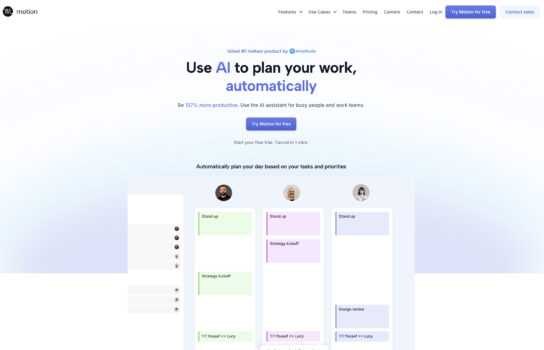
Motion is an AI-powered productivity assistant that acts like a smart planner, automatically managing your schedule so you don’t have to. Instead of manually rearranging tasks or struggling to fit meetings around your work, Motion dynamically builds and adjusts your day based on priorities, deadlines, and calendar events.
Our Verdict
What is Motion
Motion is an AI-powered productivity assistant that acts like a smart planner, automatically managing your schedule so you don’t have to. Instead of manually rearranging tasks or struggling to fit meetings around your work, Motion dynamically builds and adjusts your day based on priorities, deadlines, and calendar events. It helps you protect focus time, avoid constant context-switching, and still keep up with meetings and project deadlines. For busy professionals or teams juggling multiple priorities, Motion feels like having a personal assistant who keeps everything organized and ensures nothing slips through the cracks.
Is Motion worth registering and paying for
If your days are packed with meetings, tasks, and deadlines, Motion can feel like a real game-changer. Its AI scheduling and prioritization features take the stress out of constantly rearranging your calendar, and the way it protects focus time makes it easier to actually get deep work done. That said, it comes at a higher price than standard calendar or task apps, and it may feel like overkill if your workload isn’t that demanding. For professionals, managers, or teams juggling complex schedules, the investment is usually worth it—but for casual users, a simpler tool might do the trick.
Our experience
We dove into Motion to streamline our group project—a content creation pipeline for a freelance media collective—and it was a collaborative win that felt like having a personal assistant keeping our schedules and tasks on track. Motion, an AI-powered productivity assistant, dynamically manages schedules by prioritizing tasks, syncing with calendar events, and protecting focus time, making it ideal for juggling multiple priorities.
Motion’s smart planning was a standout. We added tasks like “Edit podcast episode” or “Draft blog post,” and Motion automatically slotted them into our Google Calendars based on deadlines and priorities, prompting, “Prioritize editing for Friday’s release.” It adjusted our schedules in real-time when new meetings popped up, ensuring no conflicts. We collaborated in our shared workspace, refining task priorities together to align with our collective’s goals, like ensuring timely client deliveries.
The AI’s ability to protect focus time was a game-changer. Motion carved out uninterrupted blocks for deep work, like “2-hour podcast editing” sessions, which we reviewed as a group to balance workloads. Its automation reduced context-switching by batching similar tasks, such as grouping “scriptwriting” and “content review” in one morning, sparking group discussions on optimizing our creative process. We shared Motion’s daily agendas in Google Docs, tweaking schedules collaboratively to accommodate last-minute client calls.
Integration with tools like Google Calendar, Zoom, and Slack made Motion fit seamlessly into our workflow. For example, prompting, “Schedule a team sync for next week,” pulled available slots from our calendars and sent Zoom invites, which we confirmed together in Slack. The reporting dashboard gave us insights into task completion rates, helping us identify bottlenecks like delayed script approvals, which we addressed as a group.
While Motion’s AI required some initial setup to learn our preferences, its intuitive interface and tutorials made it manageable, with tasks divided to streamline onboarding. The free 7-day trial let us test extensively, though we noted pricing ($19/month annually for individuals, $12/user/month for teams, per usemotion.com) could be steep for solo freelancers but felt justified for our collective’s needs.
Our shared experience with Motion was seamless, organized, and empowering, making it ideal for groups needing a smart planner to manage busy schedules. If you want an AI assistant to keep your tasks and meetings aligned without the hassle, Motion is definitely worth checking out.


