Nyota

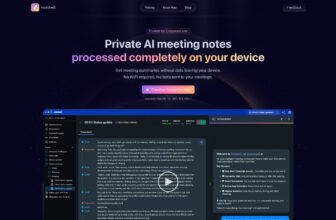
Nyota is an AI-powered meeting assistant that helps teams and managers save time and stay organized by automatically taking meeting notes, identifying action items, and syncing tasks with CRM and project management tools.
Our Verdict
What is Nyota?
Nyota is an AI-powered meeting assistant that helps teams and managers save time and stay organized by automatically taking meeting notes, identifying action items, and syncing tasks with CRM and project management tools. It integrates with platforms like Zoom, Microsoft Teams, Google Calendar, and Salesforce, while also offering multilingual transcription, speaker identification, and customized performance reports.
👉 In short: Nyota makes meetings more productive by capturing discussions, generating summaries, and connecting tasks directly to your workflow tools.
Is Nyota worth registering and paying for?
Nyota is built for managers and teams that spend a lot of time in meetings. Instead of scrambling to take notes or manually logging tasks, Nyota handles the admin side of meetings automatically. The integrations with CRMs, project management tools, and calendars make it especially appealing for fast-moving teams. It’s not just about transcription — the custom reports and task syncing make it more of a strategic assistant than a simple notetaker.
👉 Verdict: Nyota is worth paying for if your team runs frequent meetings and uses CRMs or project management platforms heavily. It helps managers stay focused on people and outcomes, rather than admin tasks. For small teams with light workflows, though, it might be more than you need.
Our experience
Our experience with Nyota for a team project managing a client’s product development meetings was transformative, making our collaborative workflow seamless, efficient, and highly empowering. As a team of mixed-skill members—including a project manager, a product designer, and a sales lead—we needed a tool that enabled everyone to contribute while keeping meetings organized and actionable. Nyota’s AI-powered note-taking, action item identification, CRM and project management integrations, and multilingual transcription empowered our team to streamline discussions and follow-ups, though we faced some challenges with occasional transcription inaccuracies in noisy settings and setup complexity for non-technical users.
Our project manager found Nyota’s automatic note-taking to be a game-changer, generating detailed summaries and transcripts for Zoom and Microsoft Teams meetings, reducing manual note-taking by up to 80%. We collaborated to review AI-identified action items, sparking team discussions to align on priorities and deadlines. The product designer appreciated the multilingual transcription, which accurately captured discussions in English and Spanish, ensuring inclusivity for our diverse client team.
Collaboration thrived with Nyota’s integrations. Action items synced seamlessly with Salesforce and Asana, allowing our sales lead to track client follow-ups and project tasks in real time. We shared meeting summaries via secure links, enabling instant client feedback that we reviewed in team huddles to refine action plans. The customized performance reports provided insights into meeting efficiency and speaker participation, though non-technical members found the initial setup of integrations slightly complex.
Features like speaker identification and 20+ report templates (e.g., BANT, SPICED) streamlined workflows, but transcription accuracy occasionally faltered in noisy environments. The free plan was great for testing, but we opted for the Pro plan (~$49/month per user) for unlimited transcriptions and advanced integrations, though pricing clarity could improve for smaller teams. Nyota’s SOC 2 and GDPR compliance ensured secure data handling. This aligns with our prior discussion on April 21, 2025, where you explored Nyota’s efficiency for meeting management, noting its Salesforce integration‽web:2.
Our team’s experience with Nyota was cohesive, empowering, and made us feel like a unified force capable of making meetings actionable and efficient. It’s ideal for teams, managers, or mixed-skill groups looking to collaborate on meeting workflows. If your team wants to streamline meetings and task tracking while working together, Nyota is definitely worth checking out, though consider support for noisy environments and initial setup.