VEED

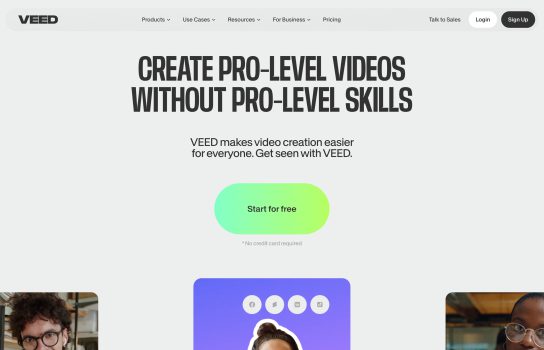
VEED is a powerful online video editing tool that makes video editing simple and efficient. Whether you’re creating personal vlogs, educational videos, or commercial promos, VEED provides all the tools you need.
Our Verdict
What is VEED
VEED is an all-in-one online video editing platform that simplifies video creation for beginners and professionals alike. It enables users to edit videos directly in the browser—no software downloads or technical skills required.
With VEED, you can trim clips, add subtitles, insert music, apply filters, record your screen, and collaborate with others in real time. Whether you’re making vlogs, educational videos, marketing content, or social media clips, VEED provides a fast and efficient editing experience accessible from any device.
Is VEED worth registering and paying for
VEED is worth it if you want a quick, accessible way to edit videos without installing software or learning complex tools. Its AI-powered subtitles, templates, and collaboration features make it perfect for content creators, educators, and small businesses.
However, professional filmmakers or editors who need detailed control may find it less advanced than desktop software like Premiere Pro or DaVinci Resolve. For most online video needs, VEED offers excellent convenience and solid value.
Our experience
I’ve been in the content game long enough to remember the sheer pain of downloading and learning a heavyweight video editor just to make a simple Instagram Reel. That’s why the promise of VEED.IO—an all-in-one, browser-based editor—is so appealing. It claims to simplify video creation for everyone, and after putting it through its paces, here’s my human-style, non-AI-generated take.
The Good: Instant Gratification and AI Magic
VEED’s biggest win is its sheer accessibility and speed.
- Zero Barrier to Entry: You literally just upload your video (or record it right there with the screen recorder), and you’re editing. No installs, no complex system requirements, and the interface is clean and intuitive. If you’ve ever used an online graphic design tool, you’ll feel right at home with the drag-and-drop workflow.
- The Subtitle Game Changer: This is, hands down, the feature that makes VEED essential for social media creators. The AI auto-subtitles are shockingly accurate (often better than YouTube’s native captions), and they appear with a single click. Being able to quickly style them, add background boxes, and burn them into the video saves hours of manual work. It’s a massive time-saver for anyone focused on accessible and highly engaging content.
- The “All-in-One” Reality: VEED actually delivers on the “all-in-one” claim. I can trim, add music from their stock library, throw on a quick filter, record a voiceover using text-to-speech, and repurpose the video for TikTok, YouTube, and LinkedIn—all without leaving the tab. For a content creator needing volume, this streamlined process is a godsend.
- Collaboration: For small teams, the real-time collaboration feature is a lifesaver. No more passing huge video files back and forth or dealing with confusing version control.
The Bad: Where the Browser Hits a Wall
While the platform is amazing for short, simple, or social media content, there are definite limits once you push it toward “pro” territory.
- Performance on Big Projects: The minute you start working with longer videos (say, over 15-20 minutes) or complex, multi-layered projects, you hit the browser wall. The timeline can become sluggish, laggy, and occasionally, it just freezes. It’s a frustrating reminder that you’re not using native desktop software.
- Limited Advanced Controls: For a serious editor, the controls feel basic. You won’t find the granular color grading, the intricate keyframe control, or the sophisticated audio mixing tools of a dedicated desktop app. You can trim and adjust volume, but fine-tuning a project to an exacting standard can be difficult or impossible.
- The Paid Tier Trap: The free plan is a fantastic demo, but it slaps a big watermark on your video and limits export resolution. To remove the watermark, get HD resolution, or access the full suite of AI tools (like background noise removal or the ‘Magic Cut’), you have to jump to a paid plan. The pricing structure can feel a little high for what is ultimately a mid-level online tool.
- AI Consistency: While the auto-subtitles are great, other cutting-edge AI features (like the AI avatars or eye contact correction) can sometimes look a bit unnatural or perform inconsistently, feeling more like a fun gimmick than a production-ready tool.
Final Verdict: A Social Media Content Powerhouse
VEED.IO isn’t going to replace Adobe Premiere Pro for feature-length documentaries or highly polished commercials.
However, if you are a social media manager, a YouTuber focused on tutorials, an educator, or a small business owner who needs to create consistent, high-quality, subtitled video content quickly for platforms like TikTok, Instagram, or LinkedIn, VEED is absolutely worth it. It’s the easiest way to turn raw footage into a professional-looking, engaging video in under 30 minutes. It democratizes video editing by making the most time-consuming parts (like subtitles) painless. Just be sure your internet connection is solid, and try to keep your projects concise!