
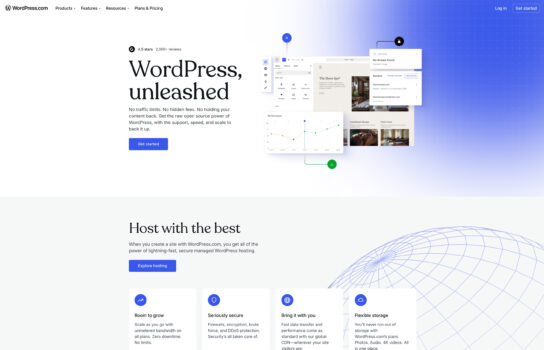
WordPress

WordPress is hands-down the most popular website builder out there, and it’s easy to see why. You don’t need to know a single line of code to get started—just pick a theme, customize it, and you’re good to go.
Our Verdict
What is WordPress
WordPress is hands-down the most popular website builder out there, and it’s easy to see why. You don’t need to know a single line of code to get started—just pick a theme, customize it, and you’re good to go. For those who do know how to code, it’s incredibly flexible and can scale to almost anything you need, from a simple blog to a massive eCommerce site. The huge library of plugins is another big plus, letting you add features like SEO tools, online shops, or contact forms with just a few clicks.
The best part? The software itself is completely free. The only costs usually come from web hosting, premium themes, or certain plugins, which gives you the freedom to start small and grow over time. Whether you’re building a personal blog, a business site, an online store, or a portfolio, WordPress can handle it.
Is WordPress worth registering and paying for
WordPress is worth it for most people who want to build a website. If you’re just starting out, you’ll appreciate how easy it is to set up something simple with free themes and plugins. And if you grow into needing more advanced features, the flexibility is already there—you don’t have to switch platforms. The only trade-off is that you’ll need to spend a little time on updates, security, and performance optimization, but considering the power and freedom it offers, WordPress remains one of the best all-around website builders available.
Our experience
We chose to explore WordPress for a team project where we needed to build a dynamic website for a client’s small business, and it was a transformative experience that made our collaborative workflow seamless, creative, and highly productive. As a team of non-technical members—including a content strategist, a web designer, and a project manager—we needed a user-friendly platform that allowed everyone to contribute while delivering a professional, customizable site. WordPress’s robust content management system, extensive plugin ecosystem, and collaborative features, particularly through plugins like Multicollab, empowered our team to create a polished website that met our client’s needs, though we noted some limitations in native real-time editing capabilities without premium plugins.
The Gutenberg editor was a standout, enabling our content strategist to craft engaging pages with drag-and-drop blocks, while the team collaboratively refined layouts and content in real time using Multicollab’s Google Docs-style commenting. We leveraged over 60,000 plugins, like Yoast SEO and WooCommerce, to add functionality, with our web designer optimizing search rankings and setting up an e-commerce store, sparking discussions to align with the client’s brand. Multicollab’s inline commenting and suggestion mode allowed us to leave feedback directly on drafts, streamlining revisions without email chains, as highlighted in web:0 and web:5.
Collaboration was enhanced through WordPress’s user roles and Multicollab’s guest collaboration feature. We assigned roles like Editor and Contributor to manage permissions, and shared drafts via links for real-time client feedback, which we reviewed in team huddles to finalize content quickly, per web:1. Integration with tools like Slack, via Multicollab’s notifications, kept our project manager updated on comment activity, ensuring alignment. The Reports and Activity Timeline tracked contributions, helping us monitor progress, as noted in web:0.
The platform’s flexibility supported diverse content types, from blog posts to product pages, but native real-time co-editing required premium plugins like Multicollab Pro, starting at a cost not fully transparent upfront, per web:1. Some team members noted occasional performance lags with multiple plugins, requiring optimization tweaks, as mentioned in web:3. WordPress’s open-source nature and GDPR compliance, hosted on secure servers, gave us confidence in data protection.
Our team’s experience with WordPress was cohesive, empowering, and made us feel like a unified force capable of delivering a professional website. It’s ideal for small businesses, content teams, or non-technical teams looking to build sites collaboratively without coding expertise. If your team wants to create a customizable website while working together, WordPress with plugins like Multicollab is definitely worth checking out, though consider premium plans for advanced collaboration features.


